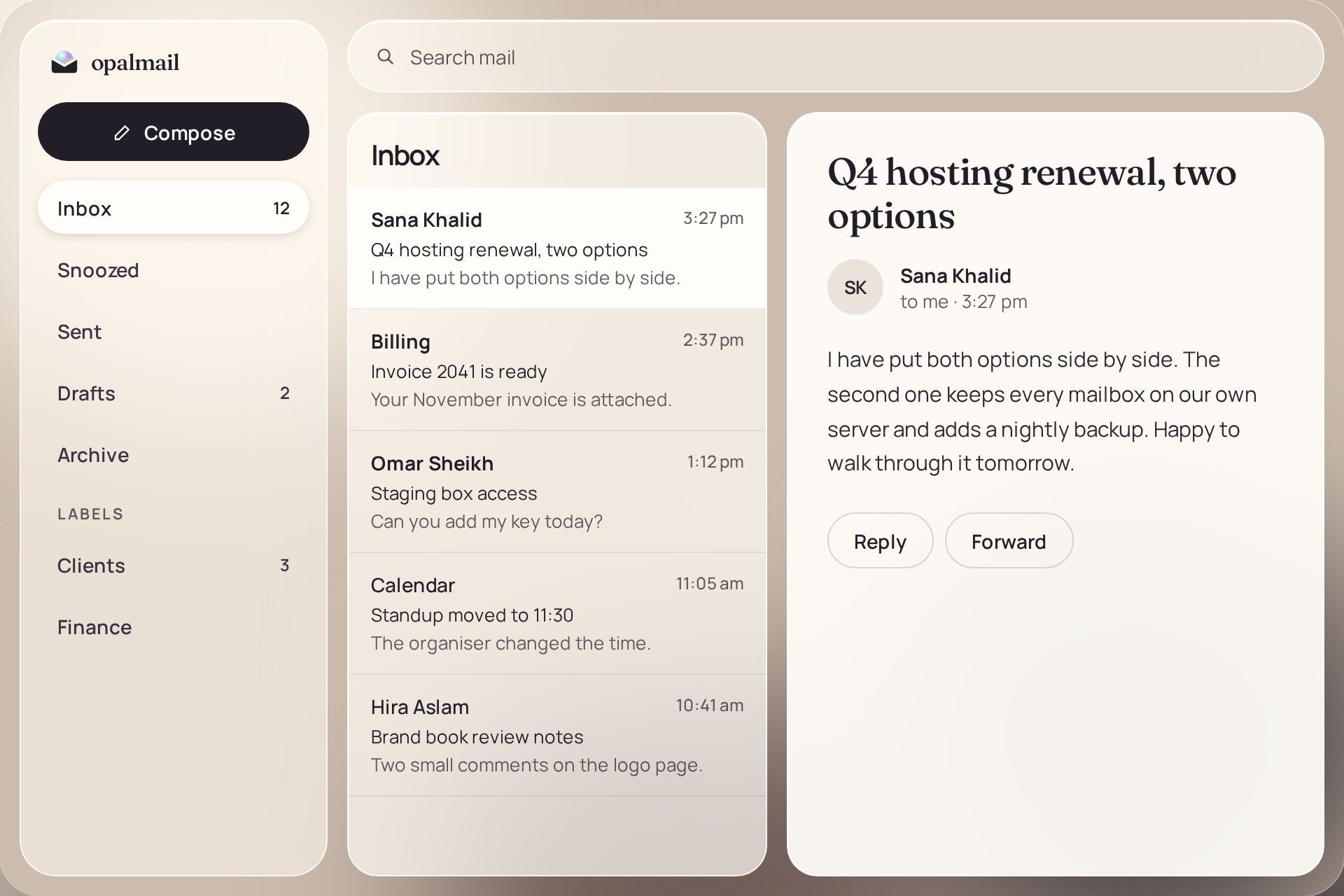
Conversations, labels, filters, snooze, signatures and fast search. Keyboard shortcuts for people who live in their inbox.
Private business email
Business mail you actually own.
Mail, calendar, contacts and team chat on a private server for your company. Run it yourself, or let us run it for you.
Your domainAddresses like you@yourcompany.com
Your serverA private server for your company alone
Your dataNot mixed with anyone else's mail
One workspace
Everything a team needs, in one calm place.
The tools your team already expects, with the look and care of premium mail, at a fair price.
Calendar
Meetings and events beside your mail, on the same account and the same server.
Contacts
One address book for your company, ready when you write a message.
Team chat
Quick questions without a long email thread. Built in, no extra tool to buy.
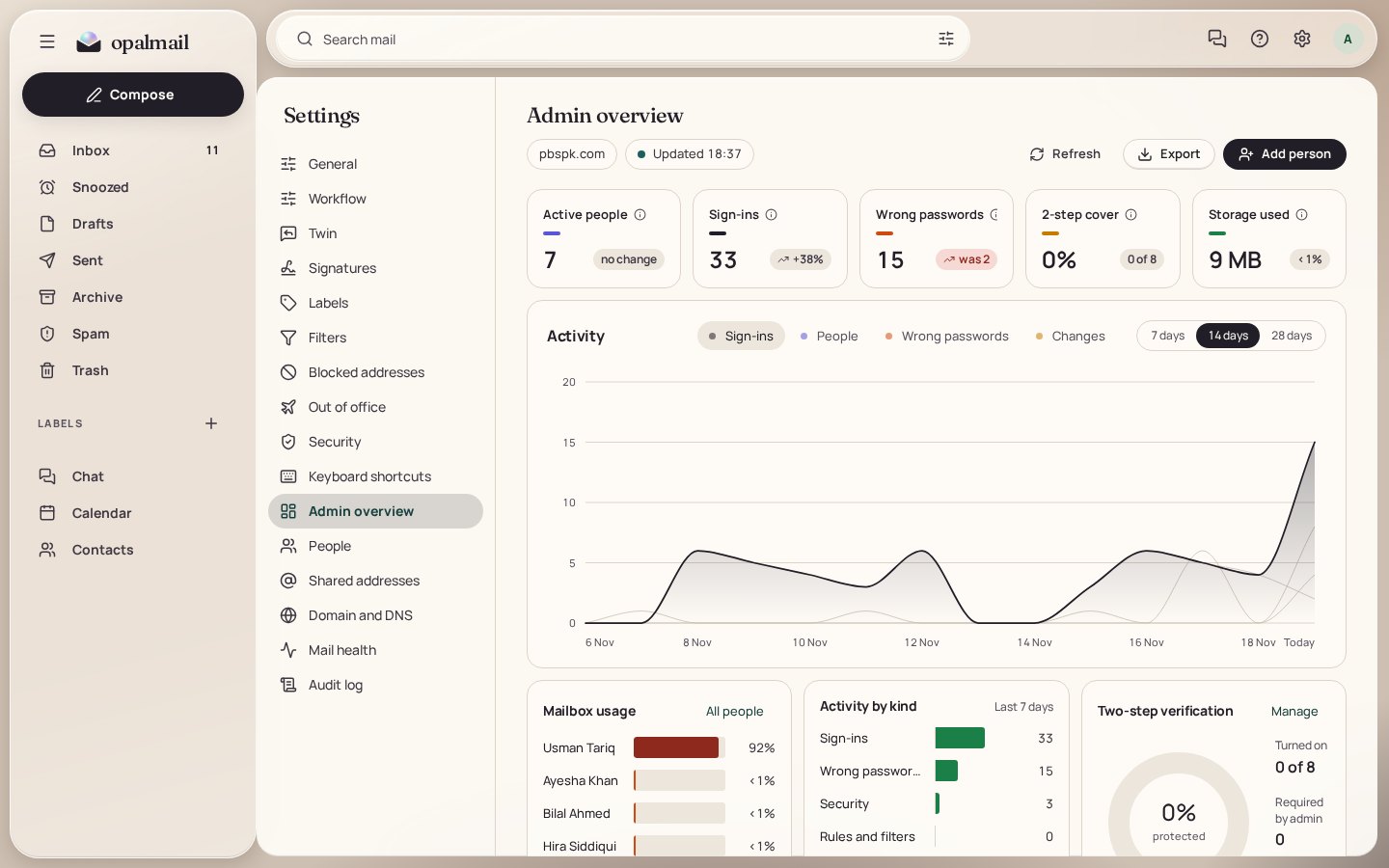
Admin overview
Add people, manage shared addresses, check your domain and see sign-ins on one clear dashboard.
Light and dark
A warm, quiet design that reads well all day, on a phone or a wide screen.
For the person in charge
Run your company's mail from one screen.
- People. Add a person, set their storage and reset a password in a few clicks.
- Shared addresses. Addresses like sales@ and info@ that reach the right people.
- Domain and DNS. See which records are published and which are missing.
- Activity. Sign-ins, wrong passwords and changes, shown by day.
Why own your mail
Rented mail is convenient. Owned mail is yours.
Private by design
Your mailboxes sit on a server set up for your company. Your domain, your data and your rules.
Safe to sign in
Two-step verification for every account, app passwords for mail apps, and blocking after repeated wrong passwords.
A fair price
The look and care of premium mail without the premium bill. Run it yourself, or let us run it for you.
How it starts
Three steps to your own mail.
We set it up
On your server or on one we run for you. You choose.
You point your domain
We give you the DNS records. The admin area checks them for you.
Your team signs in
Everyone gets an address on your domain and a workspace that feels finished.
Questions
Good to know.
What is Opalmail?
Opalmail is business email that your company owns. It gives your team mail, calendar, contacts and team chat in one calm workspace, running on a private server for your company instead of a shared public cloud.
Where is our mail stored?
On a server that is set up for your company alone. You can run that server yourself, or DevFusion Tech can run it for you. Either way the mailboxes are not mixed with other companies' mail.
Can we use our own domain?
Yes. Opalmail is built for addresses on your own domain, such as you@yourcompany.com. The admin area checks your domain's DNS records and shows what is published and what is missing.
Does it work on phones?
Yes. Opalmail runs in any modern browser on a phone, tablet or computer, in light and dark themes. Standard mail apps can also connect over IMAP and SMTP with an app password.
How do you keep accounts safe?
Every account can use two-step verification, and an admin can require it. App passwords keep mail apps working without sharing the main password, and repeated wrong passwords from one address are blocked for a while.
Does it filter spam?
Yes. Incoming mail is checked by a built-in spam filter, and outgoing mail is signed with DKIM. The domain page checks SPF, DKIM and DMARC so your mail is trusted by other providers.
Can you run it for us?
Yes. If you do not want to look after a mail server, DevFusion Tech sets it up, keeps it updated and watches it for you.
How much does it cost?
The price depends on how many mailboxes you need and who runs the server. Write to us and we will send a clear quote.
See it with your own domain.
Tell us how many people you have and where you want the server. We will show you Opalmail and send a clear quote.